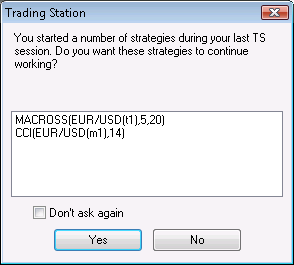
The dialog box displays a list of strategies and/or alerts that are working since your previous trading session.
Confirming Strategies and Alerts Working on Login
Brief
The article explains how to confirm strategies and alerts working on login.
Details
If, during your previous trading session, you added strategies and/or alerts and left them working at logging-out, during a new logging-in, the following confirmation dialog box appears:
The dialog box displays a list of strategies and/or alerts that are working since your previous trading session.
Note: You can select the Don't ask again check box to disable showing of the dialog box at future logins. To enable showing of the dialog box on login again, set the Show start strategies confirmation dialog option in Strategies Options of the Options dialog box to True.