Change Fonts
Brief
This section describes how you can change the fonts of your FX Trading Station.
Details
You can change the fonts for all TS windows separately.
Each TS window has its own list of font settings which is located in the appropriate option group.
But the way to change a font setting is same for all the windows.
To change a font setting:
- On the System menu, click Options.
- The Options dialog box appears.
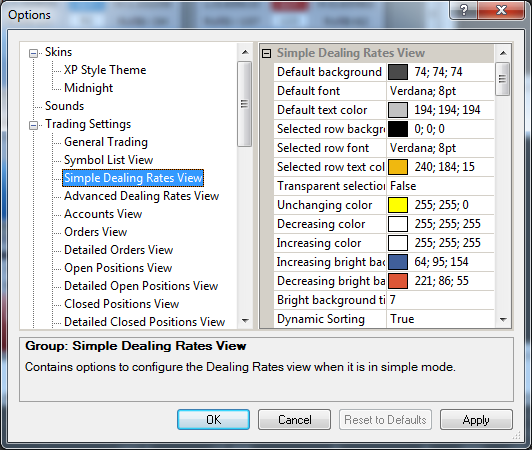
- In the left area of the Options dialog box, click the option group for which you want to change a font setting, for example, Simple Dealing Rates View.
- In the right area of the Options dialog box, click the font setting you want to change, and then choose your font from the Font dialog box.
- Click OK.
back