Change Skin
Brief
This section describes how you can change the skin of your FX Trading Station.
Details
To change the skin:
- On the System menu, click Options.
- The Options dialog box appears.
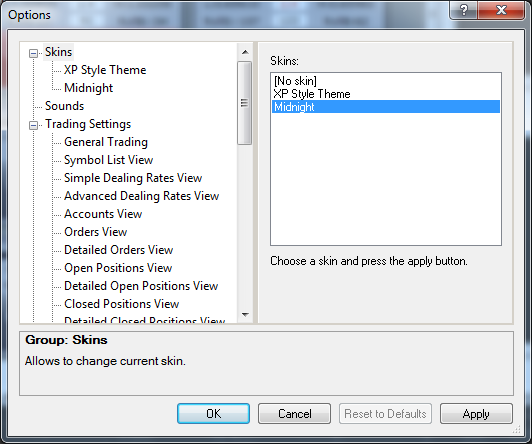
- In the list of options, click Skins.
- Do one of the following:
- To choose a skin or to use no skin, in the Skins box, click the skin of your choice or No skin.
- To see a skin preview, in the Skins option group, click the skin of your choice.
A preview of the selected skin appears in a box on the right.
Note: If the skin is not installed on your FX Trading Station, in the message window that appears, click Yes.
- Click OK.
back